In today’s digital world, notifications are everywhere—on our phones, computers, tablets, and even smartwatches. While these alerts can keep us informed and connected, they can also become overwhelming and disruptive. Constant notifications pull our attention away from important tasks, increase stress, and negatively affect our focus.
Setting clear boundaries with notifications is essential to maintaining productivity and preserving your peace of mind. Here are practical tips to help you take control of your notifications and minimize distractions.
Why Setting Boundaries with Notifications Matters
Notifications serve a purpose: they alert us to new emails, messages, reminders, or app updates. But unchecked, they can lead to:
– Frequent interruptions that break your focus
– Increased stress from feeling “always on”
– Difficulty concentrating and completing tasks
– Reduced quality of work due to multitasking
By establishing boundaries, you can decide when and how to receive notifications, making them work for you instead of against you.
1. Audit Your Notifications Regularly
Start by reviewing which apps and services are sending you alerts. Many apps send notifications by default—even for non-urgent updates.
– Disable notifications from apps that aren’t essential
– Prioritize only the most important alerts (e.g., messaging apps, calendar reminders)
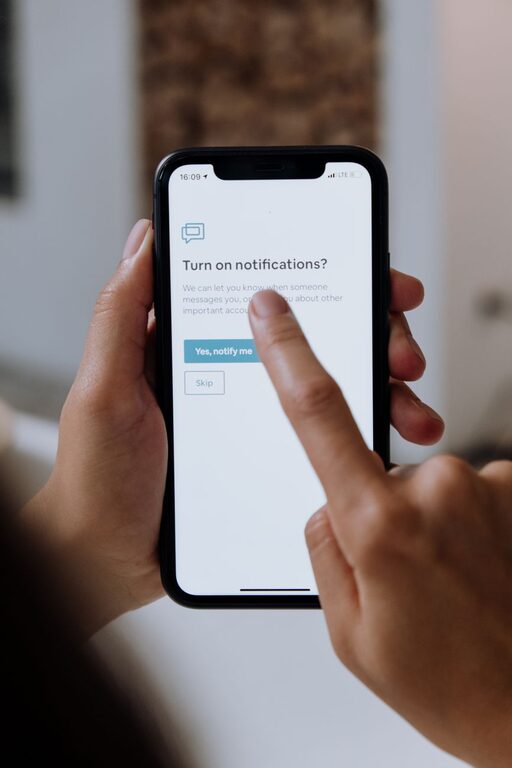
– Use the settings on your device to customize or turn off notifications individually
This simple audit helps reduce noise and distractions.
2. Use Do Not Disturb Mode Strategically
Most devices have a “Do Not Disturb” (DND) mode that silences notifications temporarily.
– Schedule DND during focused work sessions or meetings
– Enable it during personal time, like meals or before bed
– Allow calls or messages from select contacts for emergencies
This helps create uninterrupted blocks of time and supports work-life balance.
3. Create Notification-Free Zones and Times
Designate certain places or periods where notifications are off-limits.
– Make your bedroom or dining area a no-notification zone to encourage relaxation
– Set specific times during the day—such as the first hour after waking or the last hour before sleeping—when notifications are disabled
– Inform colleagues or friends about your preferred “quiet hours” to manage expectations
These boundaries promote healthier habits and reduce digital overload.
4. Customize Notification Settings Per App
Not all notifications require immediate attention. Customize alerts based on urgency.
– Turn off sound or vibration alerts for non-critical apps
– Use badge icons or banners for less urgent notifications that you can check later
– Opt for grouped or summary notifications so you see multiple alerts at once, instead of being interrupted repeatedly
Fine-tuning these settings lets you stay informed without constant disruptions.
5. Limit Social Media and Messaging Notifications
Social media platforms and messaging apps tend to generate a high volume of notifications.
– Turn off notifications for likes, comments, or shares that aren’t time-sensitive
– Mute group chats that are particularly active outside of your working hours
– Consider setting specific times for checking social media instead of responding to every alert
This approach helps you stay social without constant distraction.
6. Use Technology Tools to Help Manage Notifications
Several apps and built-in features support notification management and focus.
– Focus mode or app timers limit how long you can use certain apps daily
– Notification summaries gather alerts into a digest instead of sending them immediately
– Third-party apps can block notifications during work hours or track your screen time
Experiment with these tools to find what best fits your lifestyle.
7. Communicate Your Boundaries Clearly
If you work in a team or live with others, letting them know your notification boundaries is key.
– Share your preferred contact methods and times you’re available
– Set expectations about when you will respond to messages or emails
– Use status updates or “away” messages to inform others when you’re offline or focusing
Clear communication helps reduce pressure to respond immediately and supports mutual respect.
8. Reflect and Adjust Regularly
Your needs and priorities may change over time.
– Periodically reassess which notifications you want to receive
– Adjust settings as your work style or personal life evolves
– Be flexible and willing to try new strategies to maintain balance
Taking time to reflect ensures your notification management stays effective.
—
Final Thoughts
Setting boundaries with notifications is a powerful way to reclaim your attention and reduce stress. By auditing your alerts, using “Do Not Disturb” wisely, customizing settings, and communicating clearly, you can create a balanced digital environment that supports your goals.
Start small and gradually build habits that minimize interruptions. Over time, these changes will improve your focus, productivity, and overall well-being. Remember, technology should serve you—not the other way around.
About the Author